
- Services
- Case Study
inPwr Web App: Dispatch, Scheduling and Equipment Tracking Platform
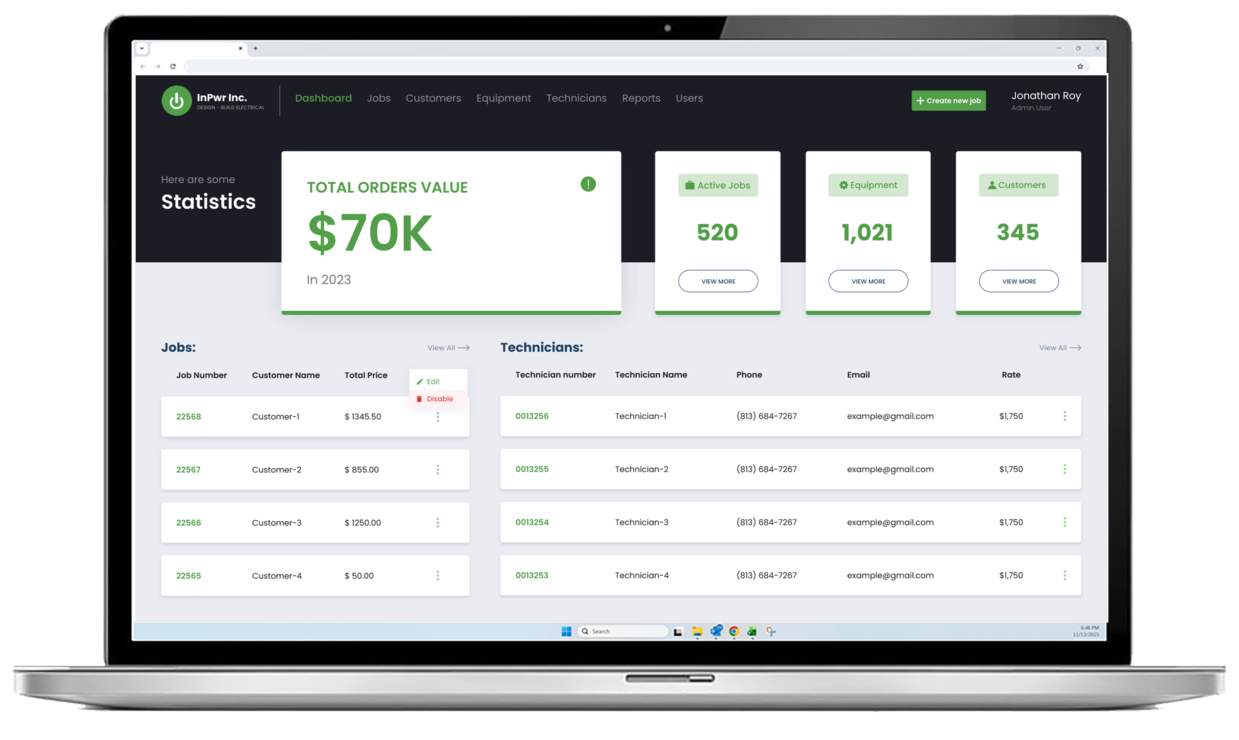
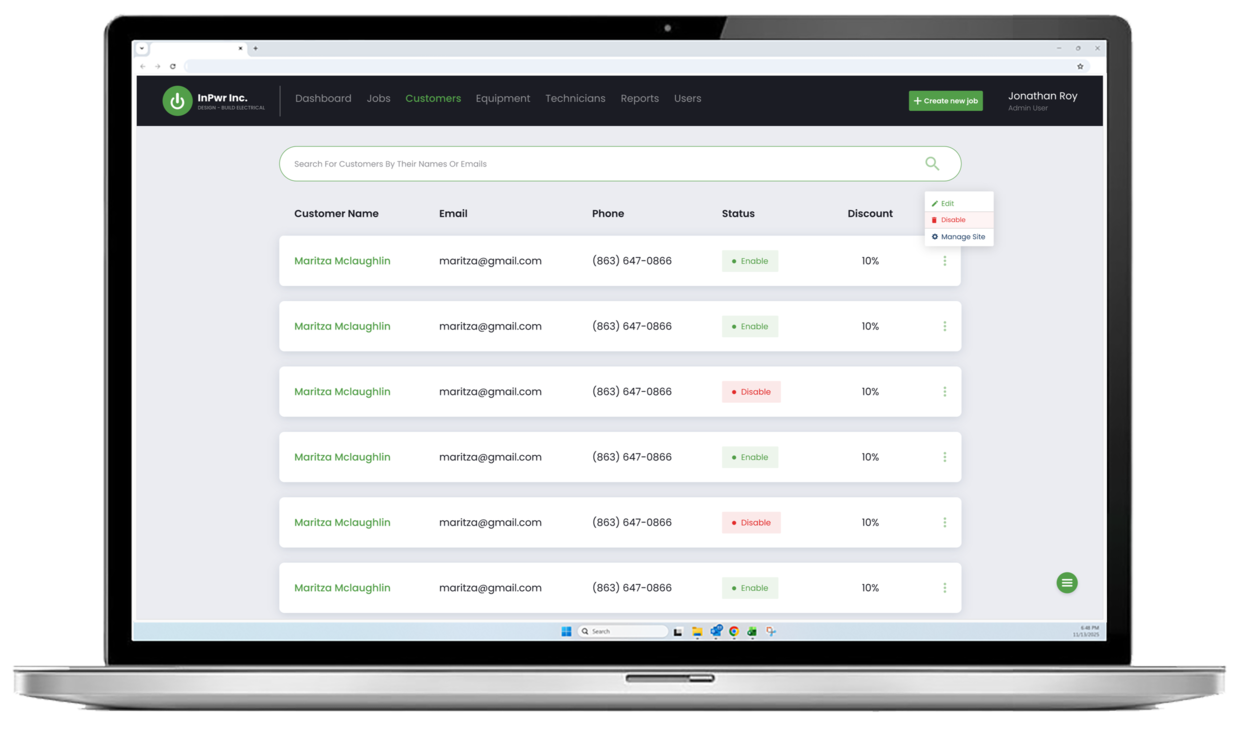
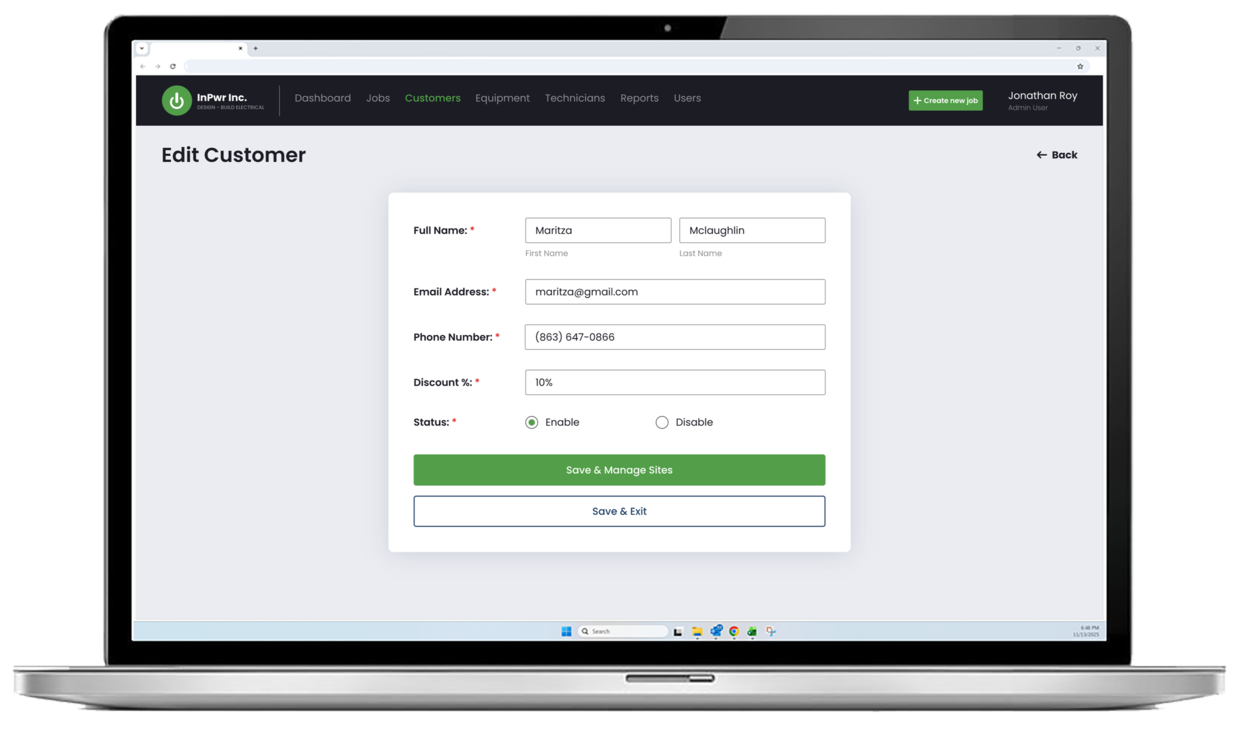
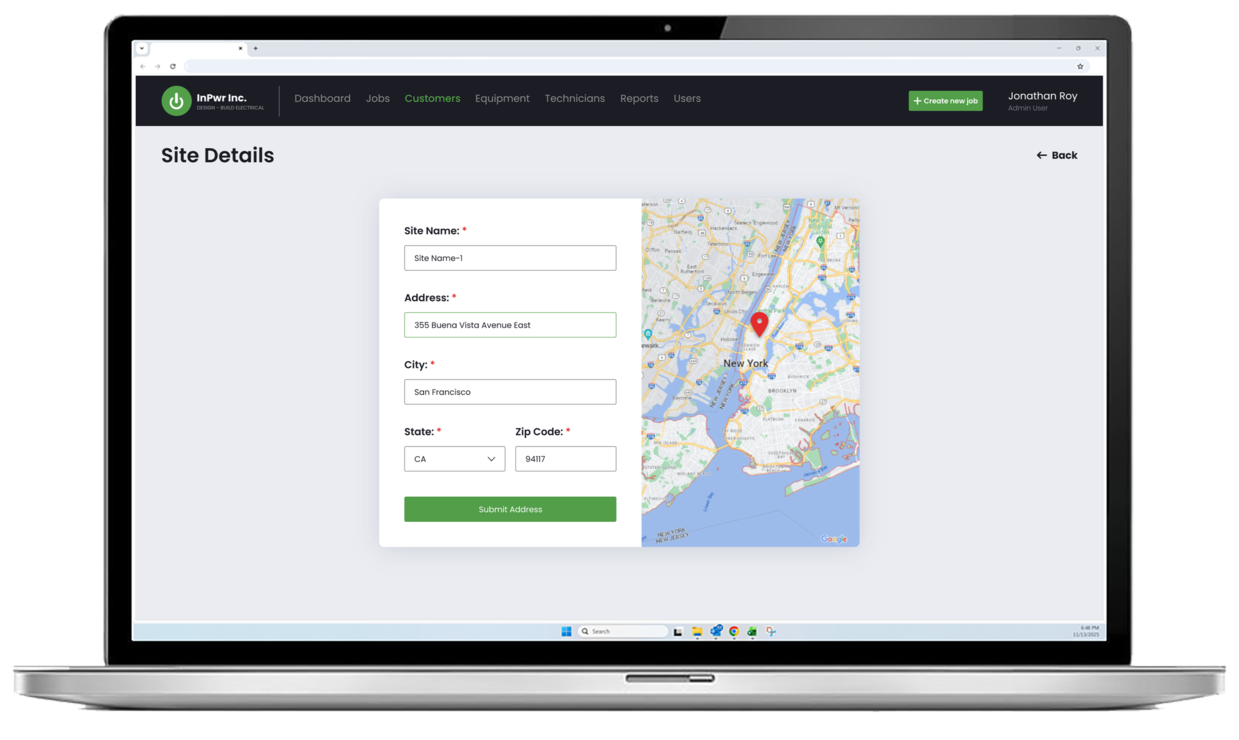
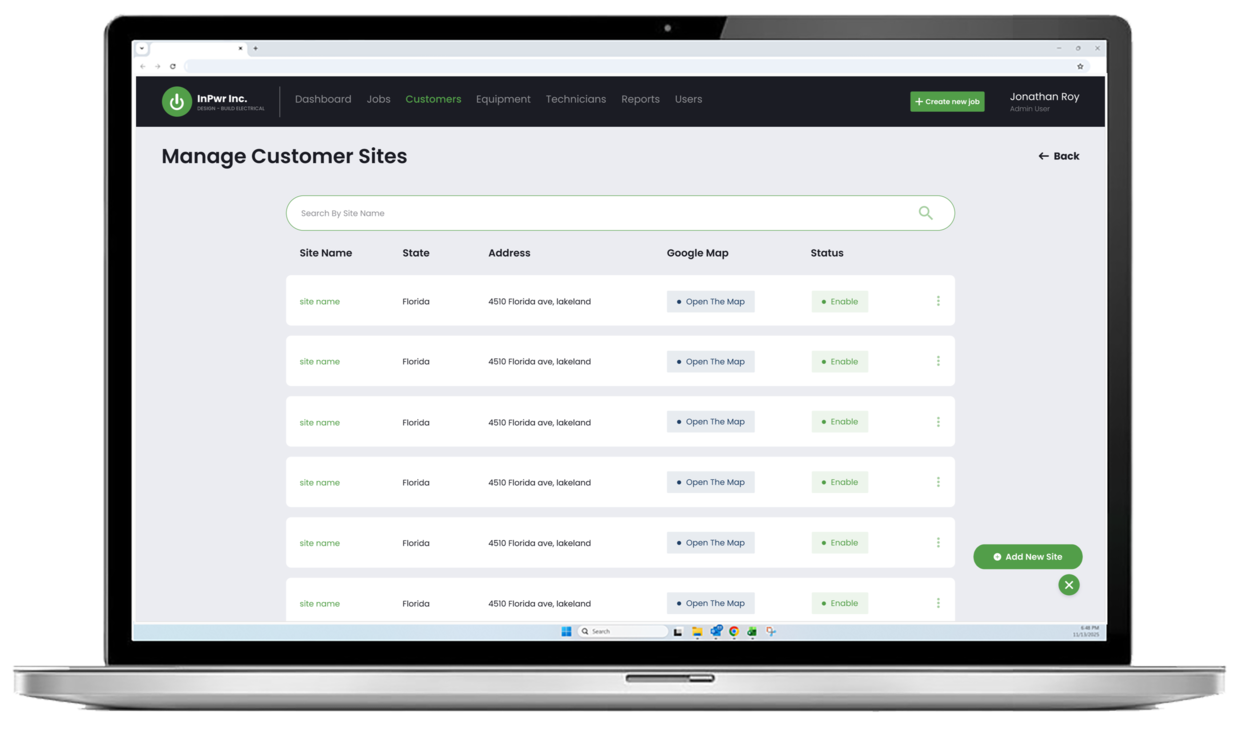
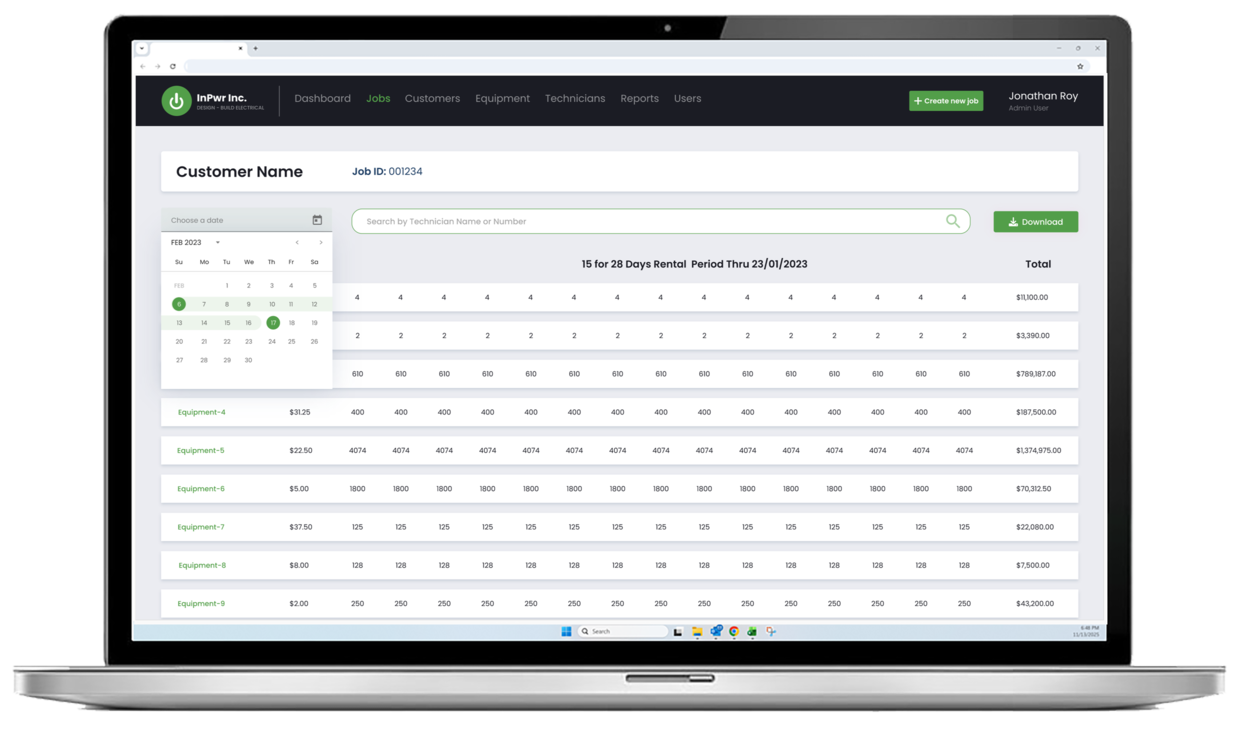
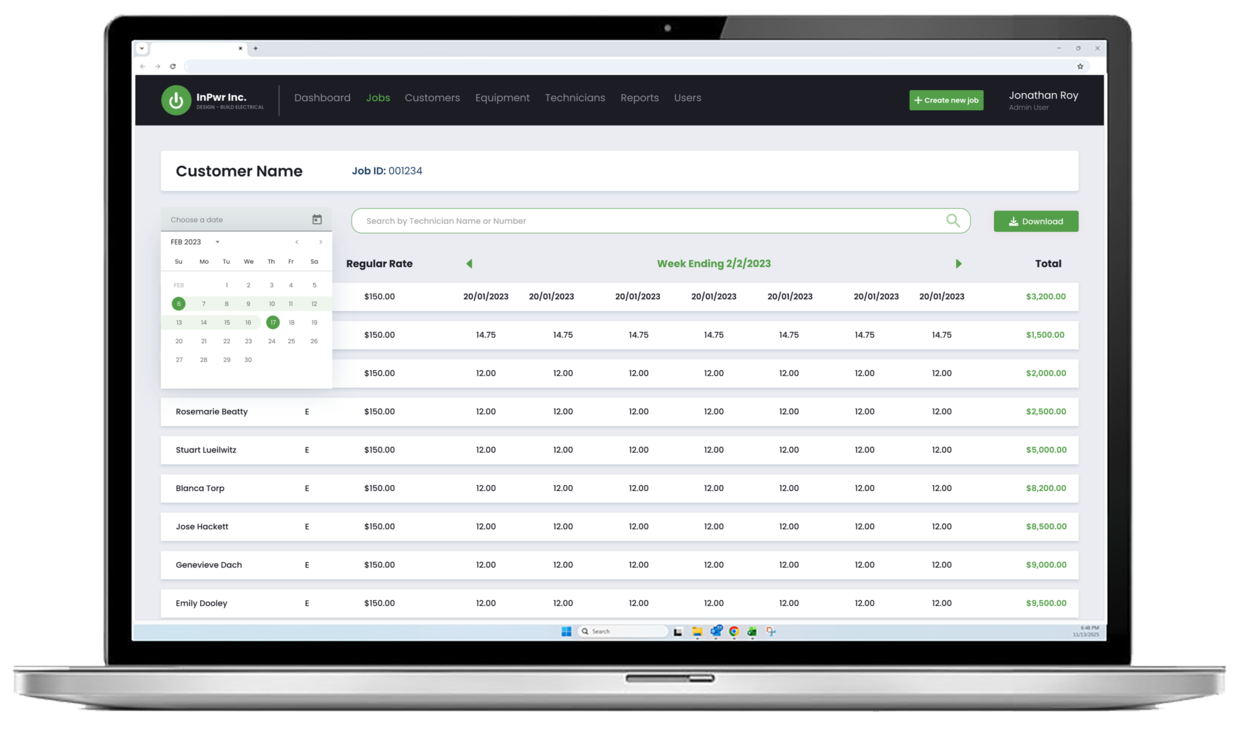
A custom web application we built for a field service business to manage emergency response operations in one place. The platform centralizes dispatch, scheduling, equipment tracking, job management, invoicing, and reporting, giving office teams real-time visibility while reducing manual coordination and paperwork.
Designed for small and mid-sized businesses to respond faster and operate with better control.
We replaced spreadsheet-based processes with a scalable workflow and reporting system built for growing teams.
From Manual Tracking to a Centralized Web Platform

Before inPwr Web App
The team relied heavily on Excel files and semi-digital tools to coordinate emergency response work. Job details, customer information, and equipment availability were spread across multiple spreadsheets and versions, making it easy for teams to work from outdated data. Technicians often had to call the office for updates, while office staff followed up manually to confirm job status, equipment assignments, and time worked.
As job volume grew, this created delays, inconsistent records, and extra reconciliation for invoicing and reporting. It also made it harder to prioritize urgent work, allocate resources confidently, and maintain clear visibility into what was happening across active jobs.
After inPwr Web App
With the inPwr Field App, day-to-day operations moved into one centralized mobile workflow. Teams can access active jobs, customer and site details, and assigned equipment from a single interface, then update job progress as work happens. Job records stay current, and the office gains real-time visibility without chasing updates across calls and spreadsheets.
Because job and equipment data is captured consistently through the workflow, invoicing and reporting became easier and more reliable. The result is faster response handling, cleaner operational records, and a scalable way to manage field execution as the team grows.
Quick intro, clear next steps
Share the basics and we will reply with the next step.
Key Features
-
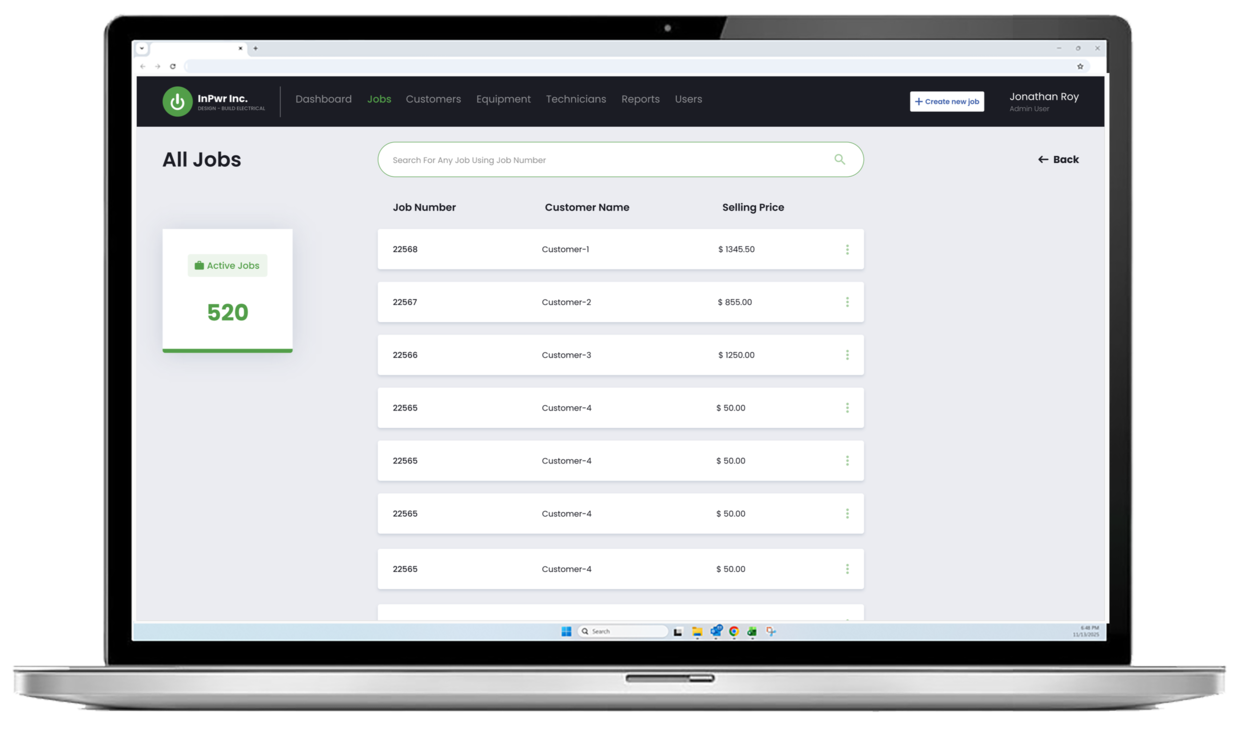
Mobile Job Dashboard and Search
View active jobs at a glance and quickly find any job by job number while on the move.
-
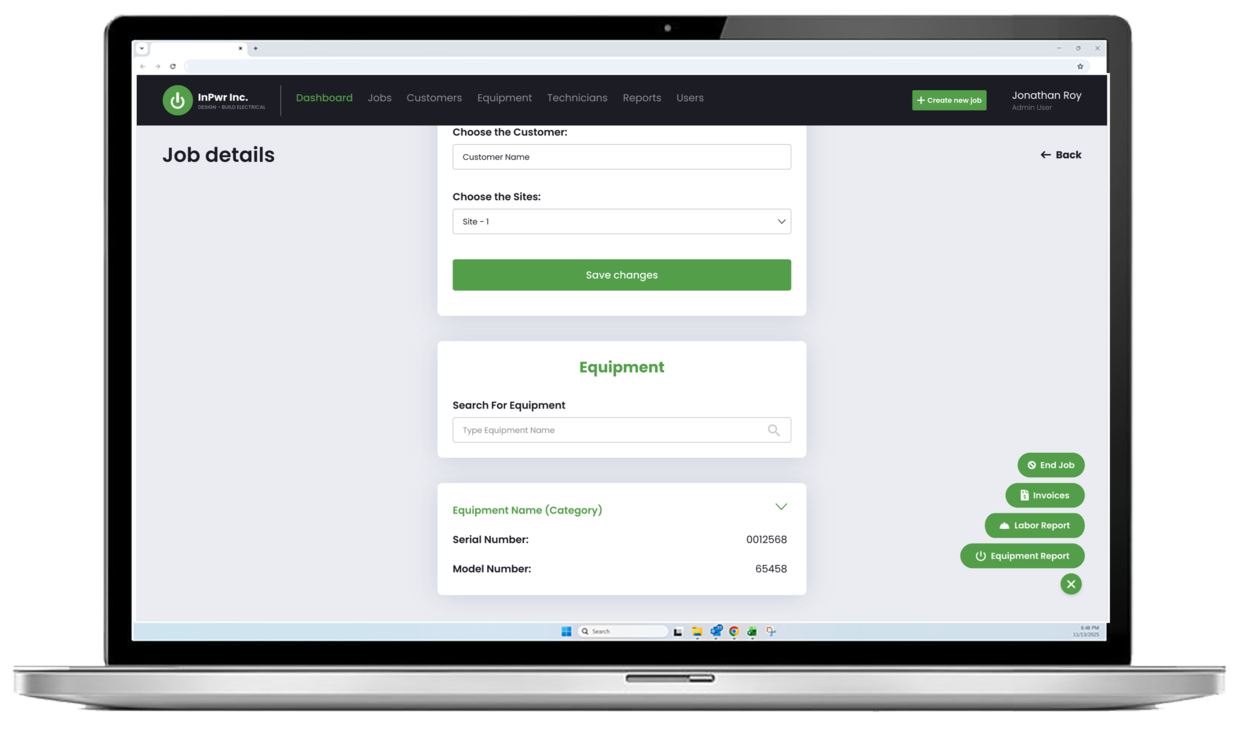
Job Details with Customer and Site Selection
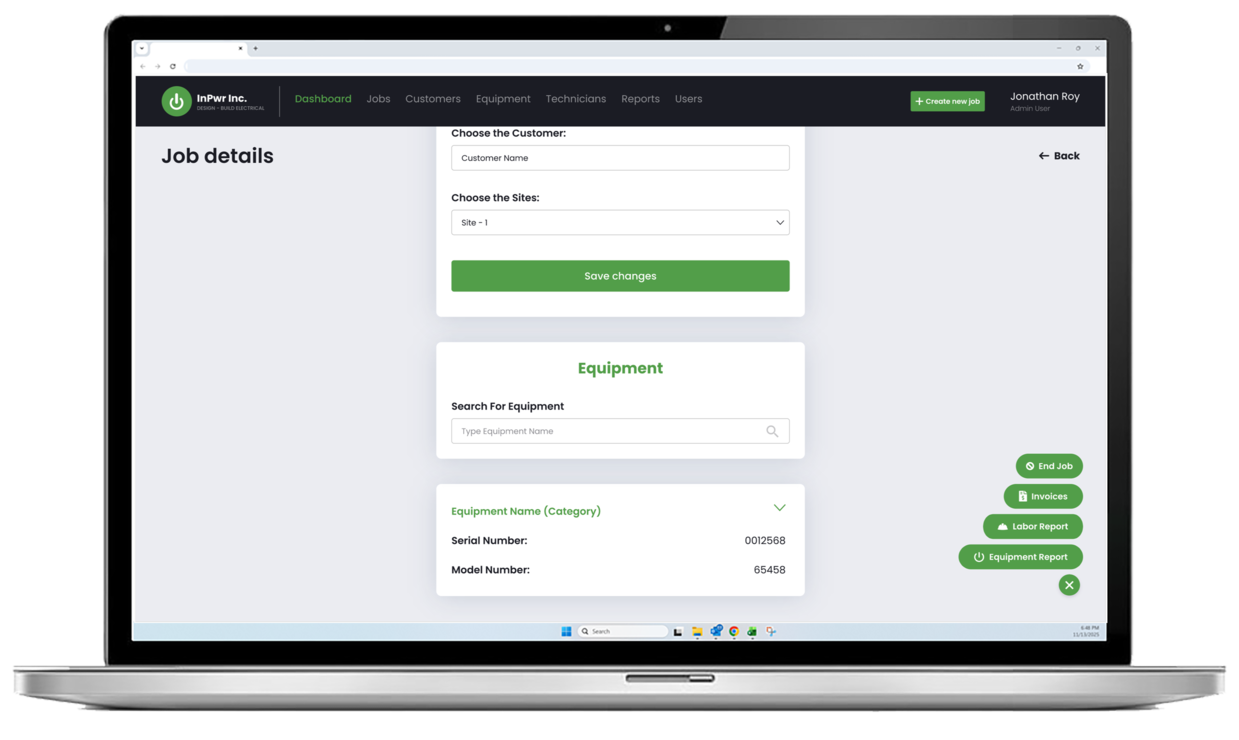
Open a job, confirm customer and site information, and keep job records up to date from the field.
-
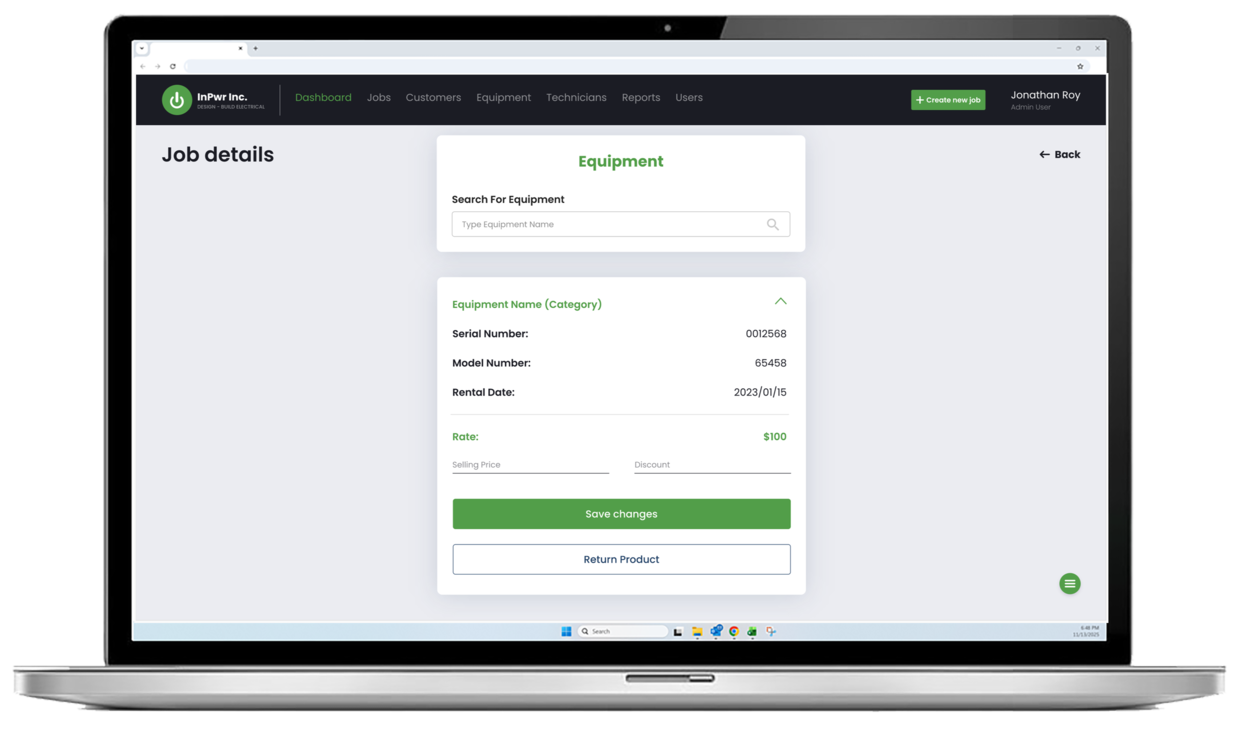
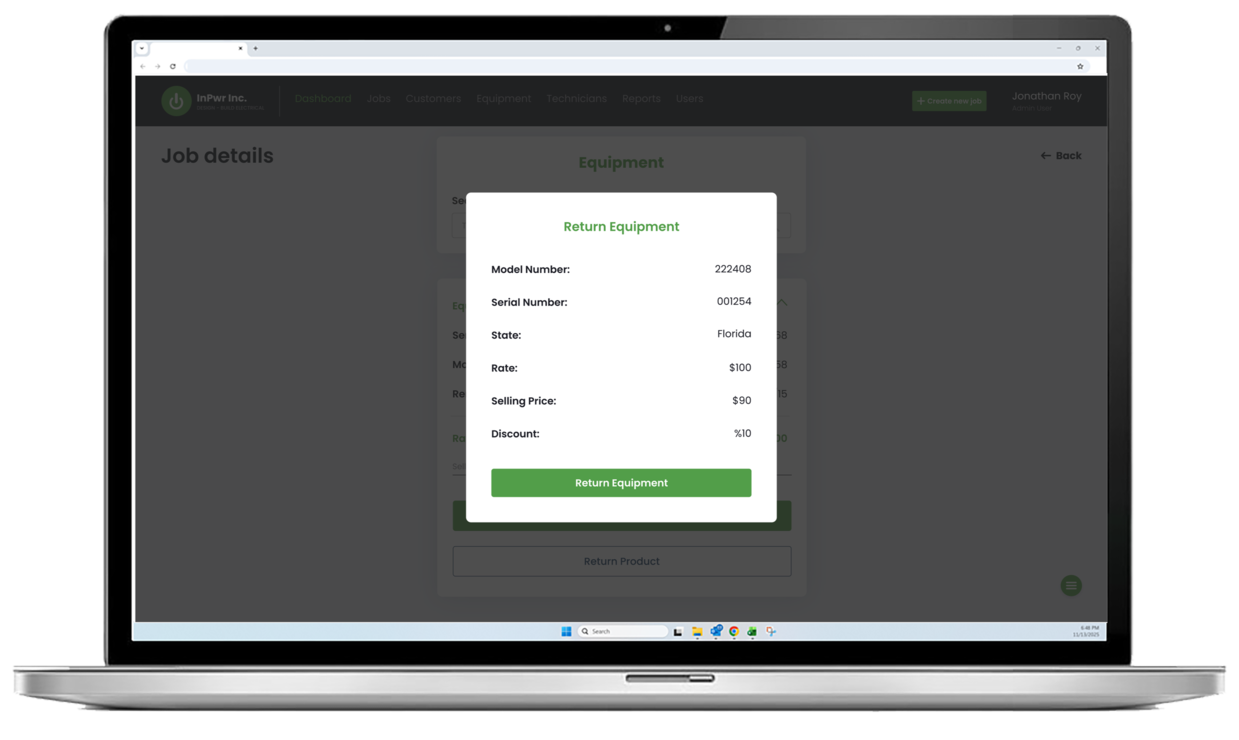
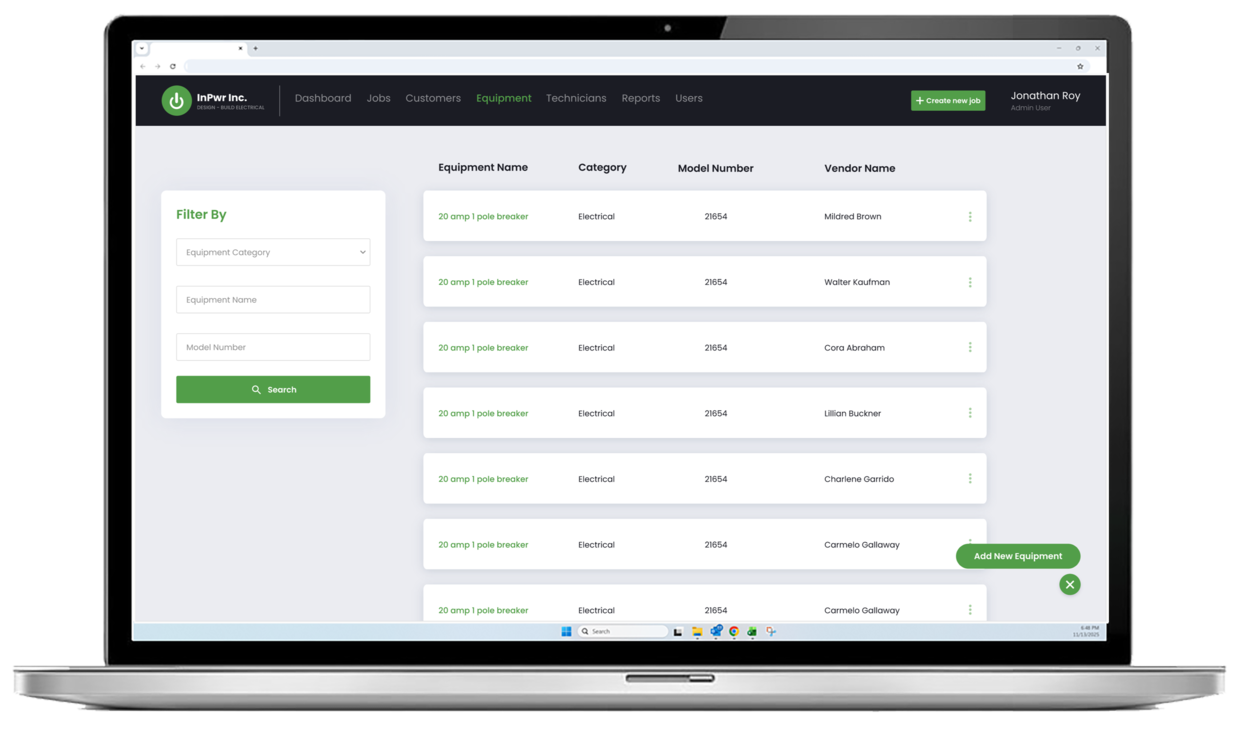
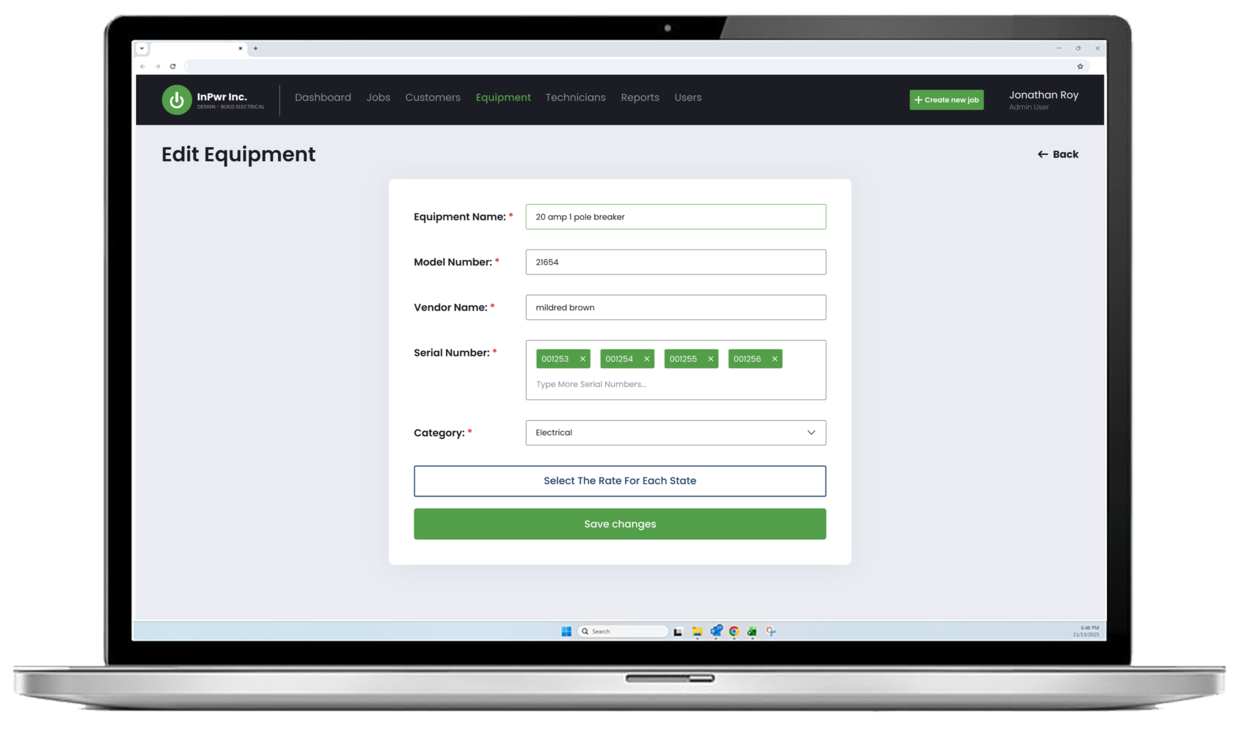
Equipment Assignment with Serial-Level Tracking
Search and assign equipment, track serial numbers, and reduce conflicts around availability and accountability.
-
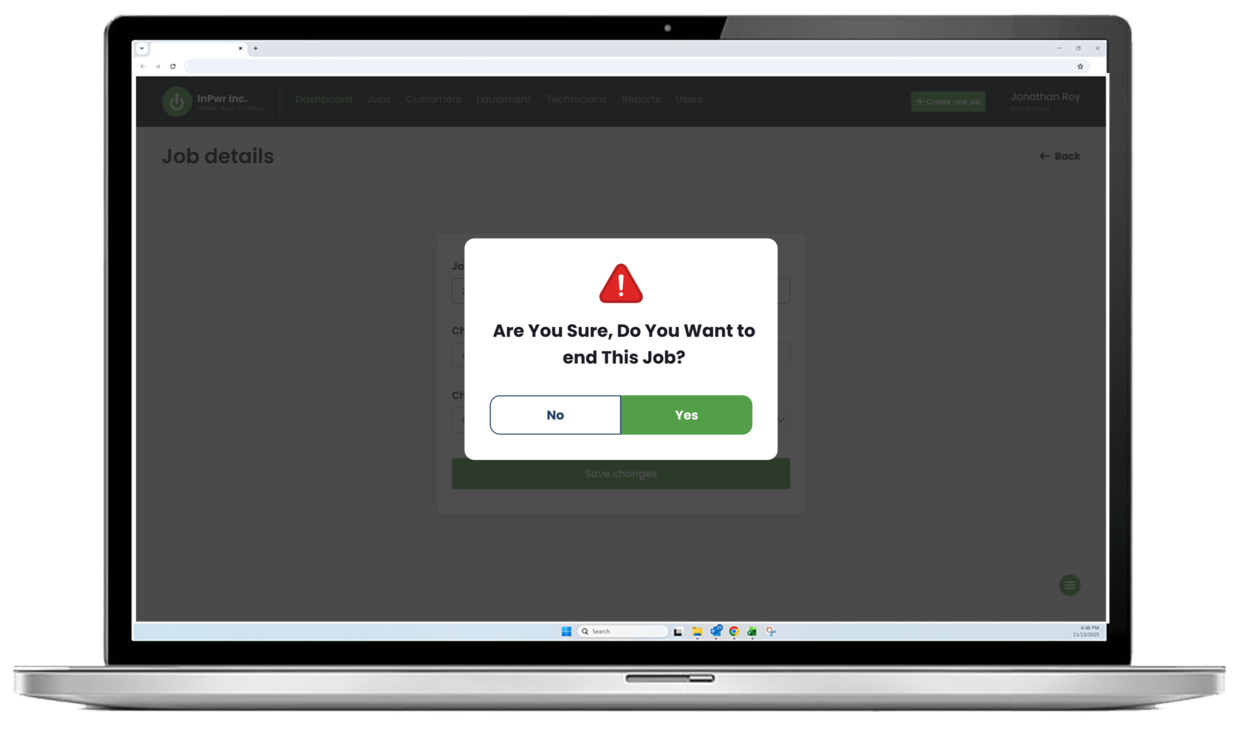
Field Close-Out Workflow
Structured steps for ending a job and keeping operational data complete and consistent.
-
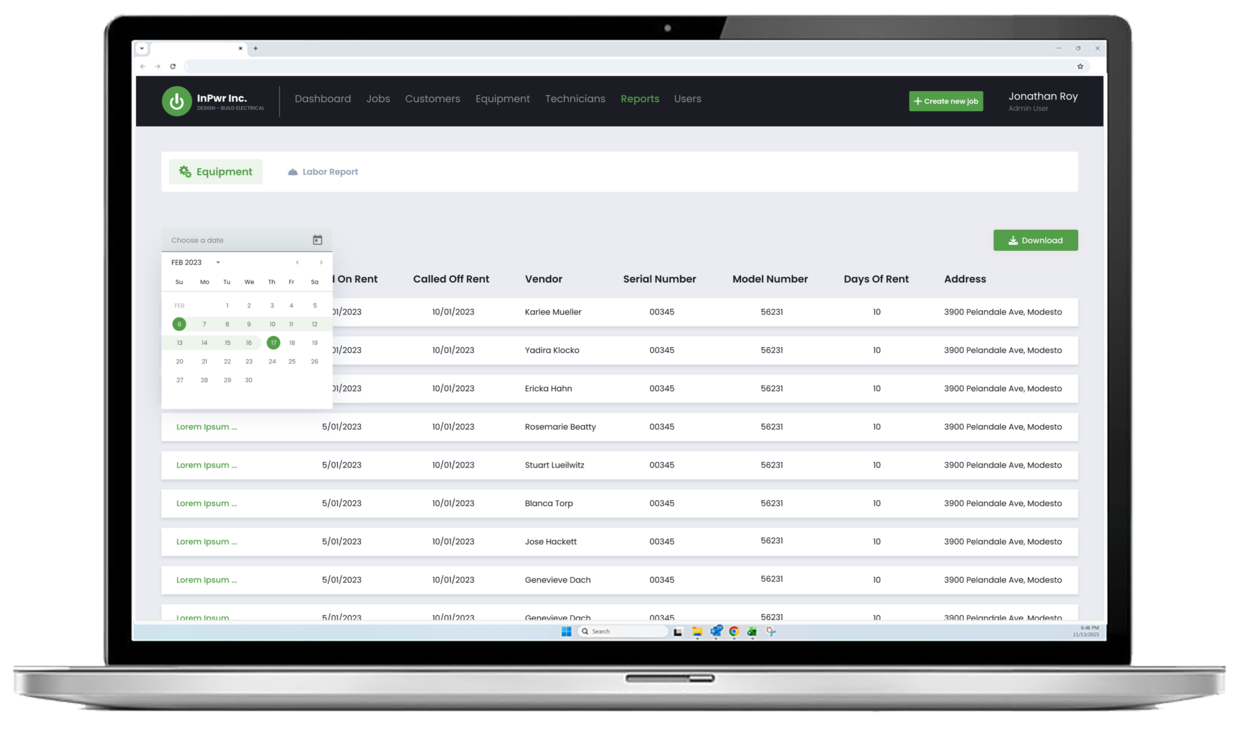
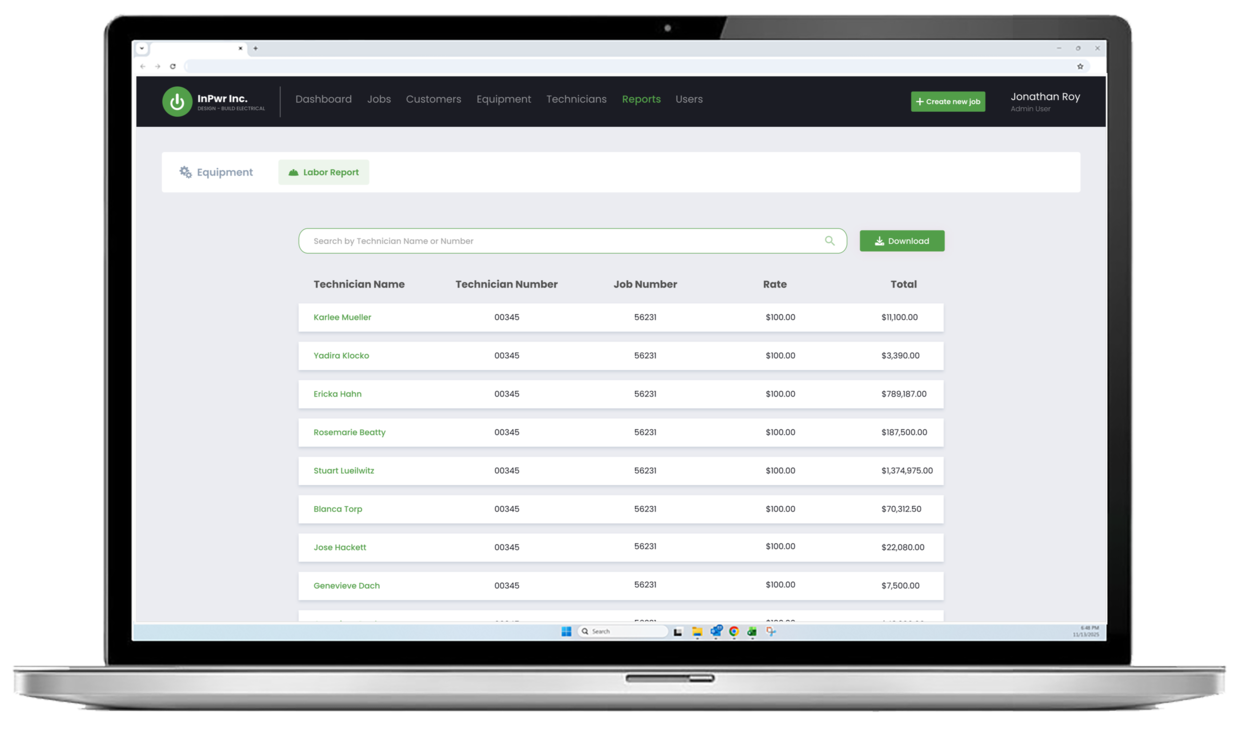
Labor and Equipment Reporting from the Job
Capture labor and equipment details as part of the job workflow so reporting stays accurate without after-the-fact cleanup.
-
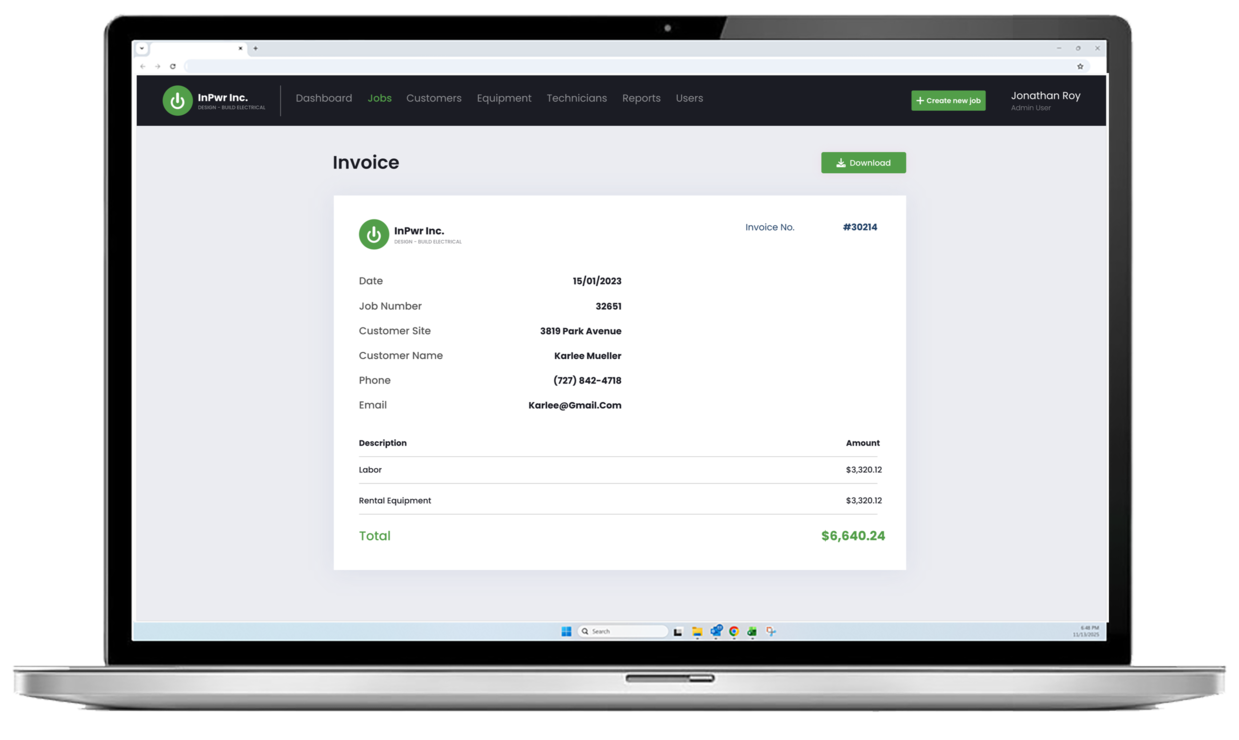
Invoice Access and Download
Generate and review invoices tied to job records, with a mobile-friendly invoice view and download option.
-
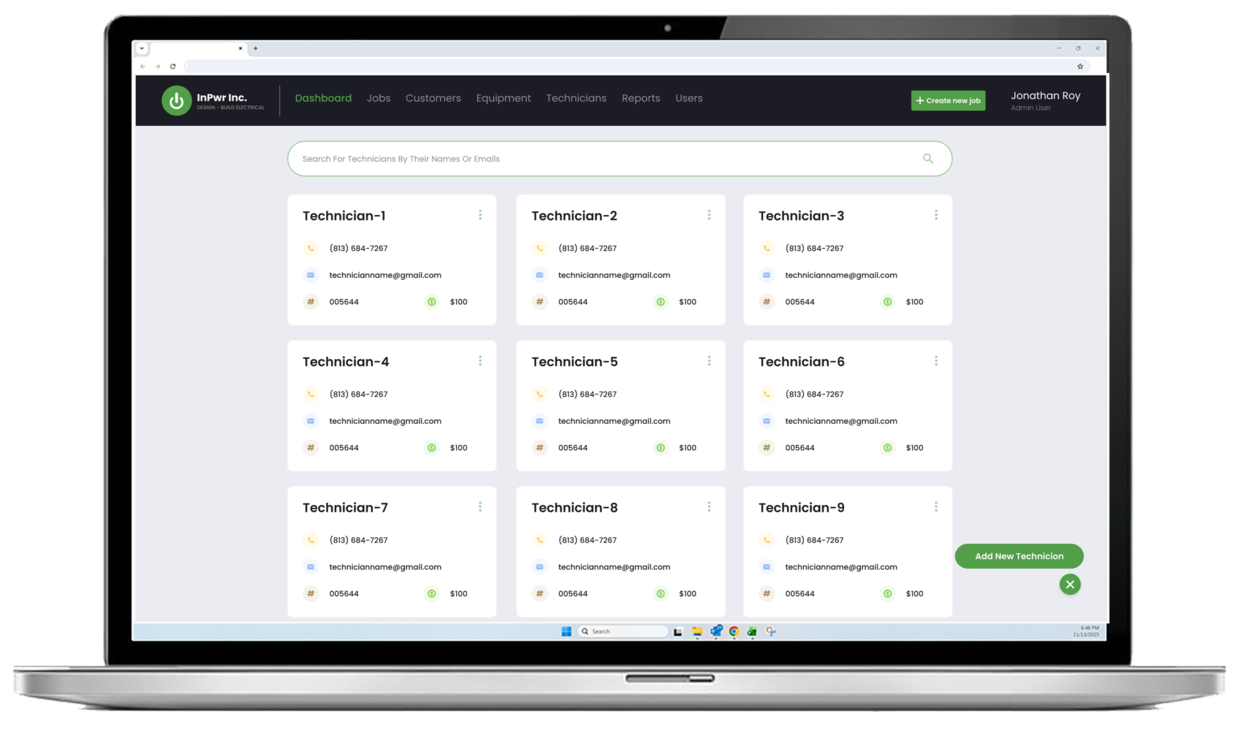
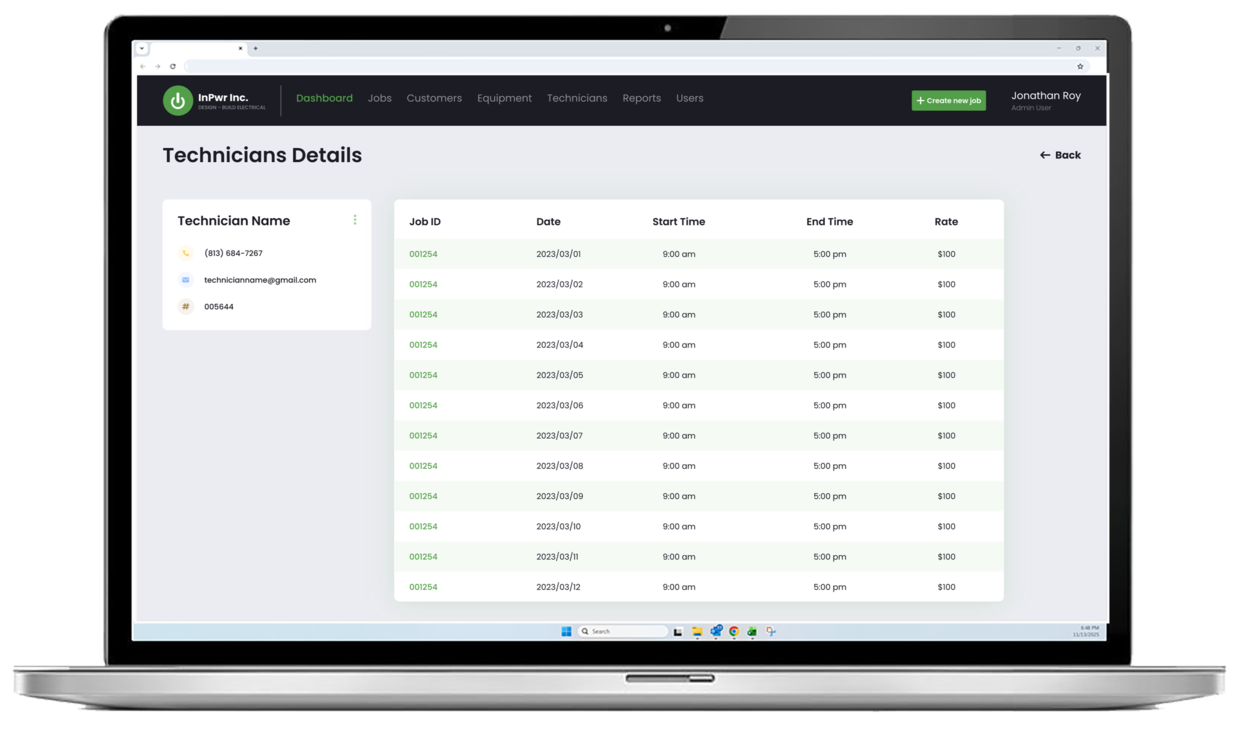
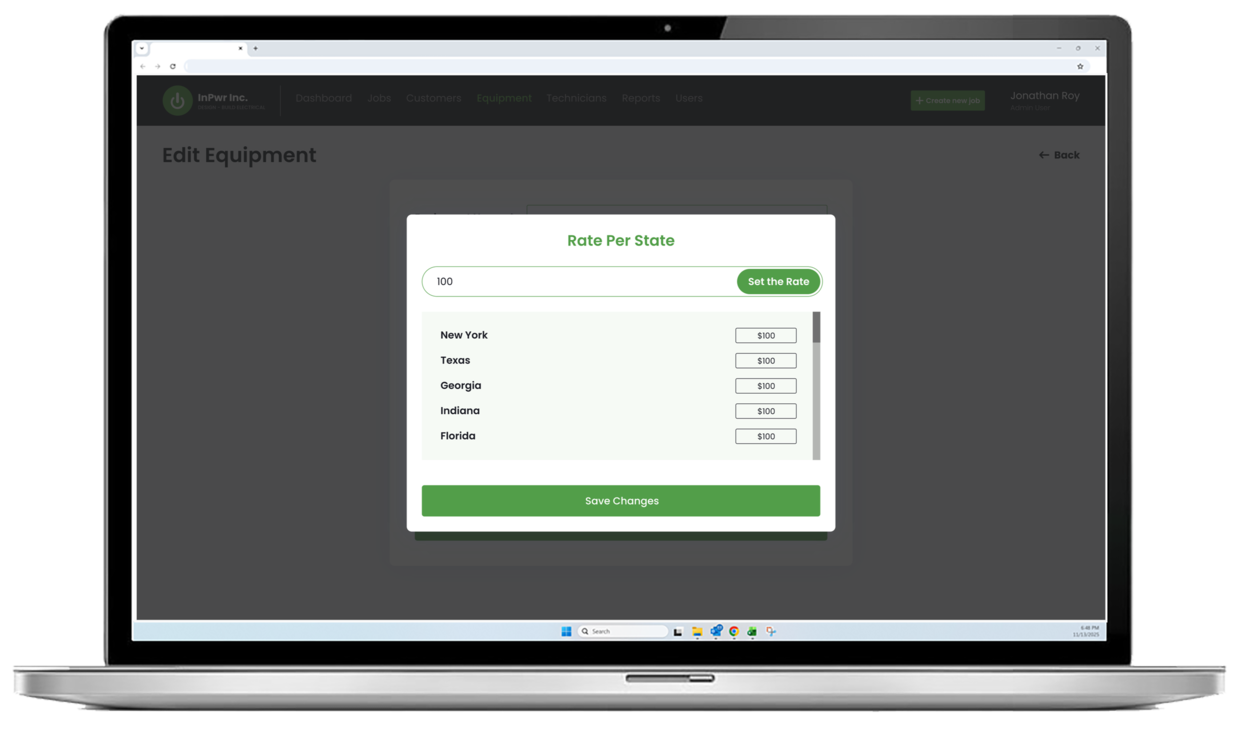
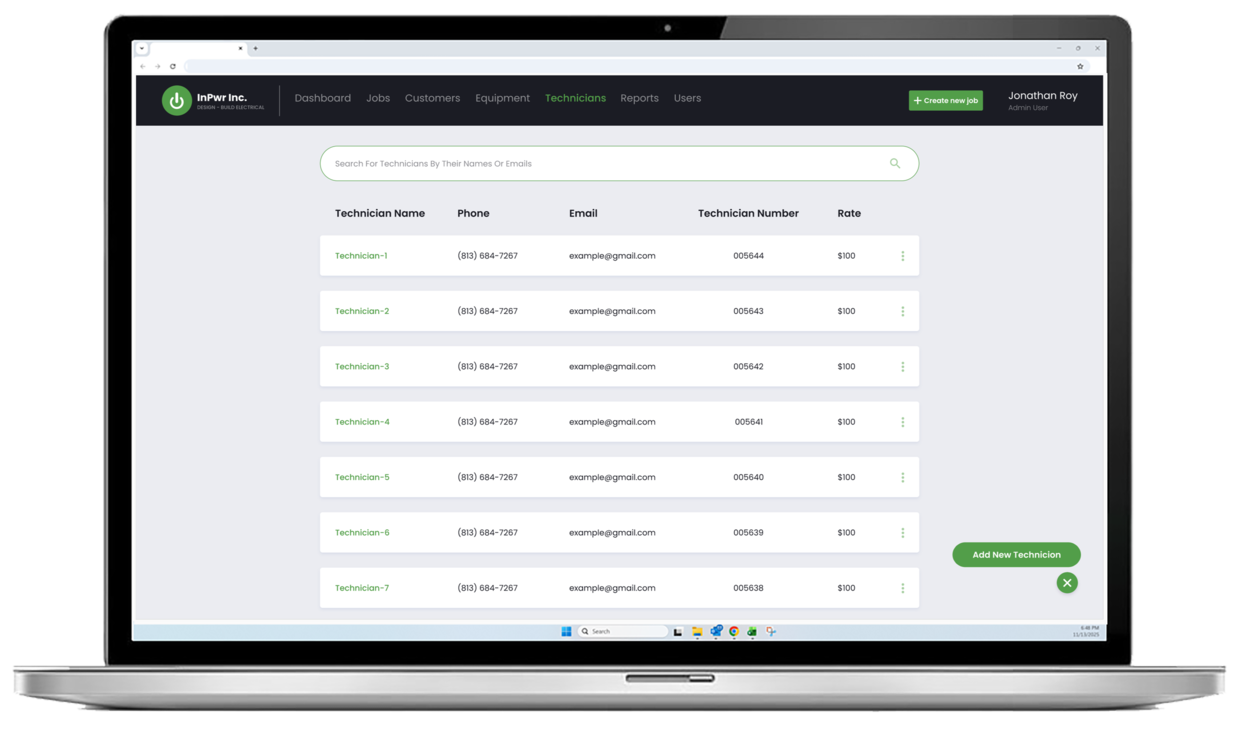
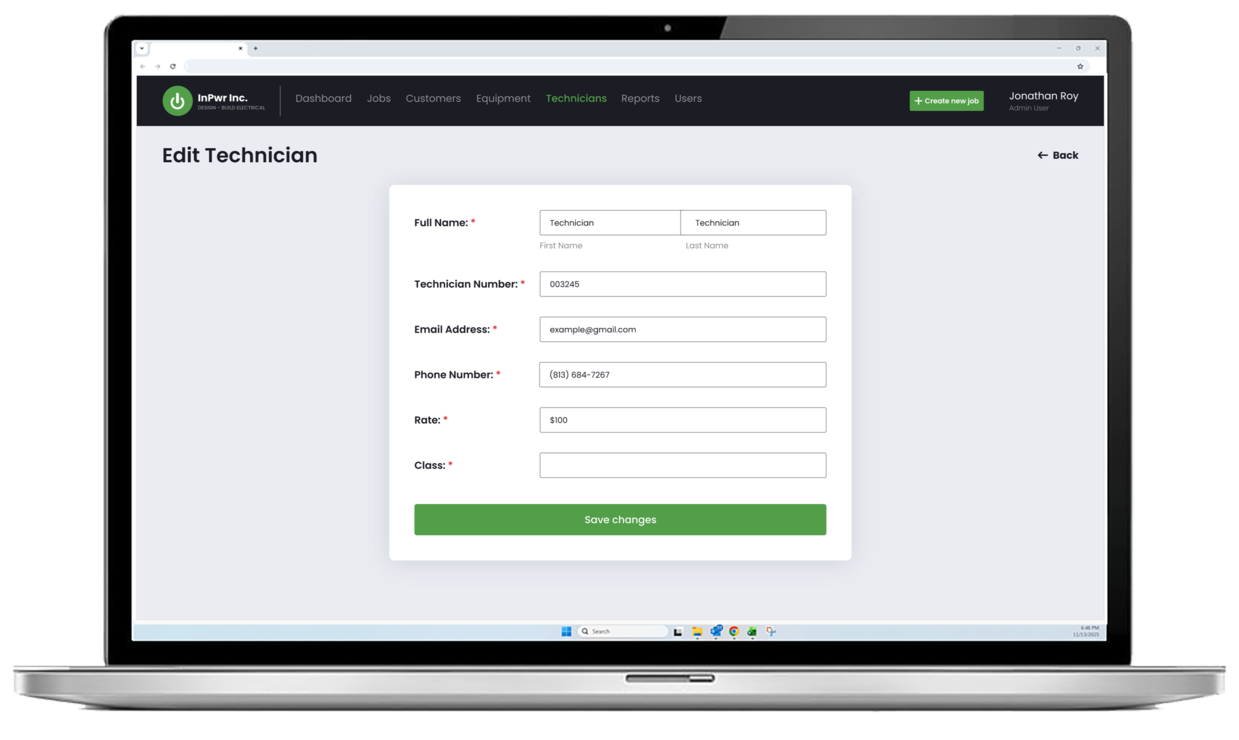
Technician Directory and Rate Visibility
Maintain technician profiles and quickly reference contact details and rates when coordinating work.
-
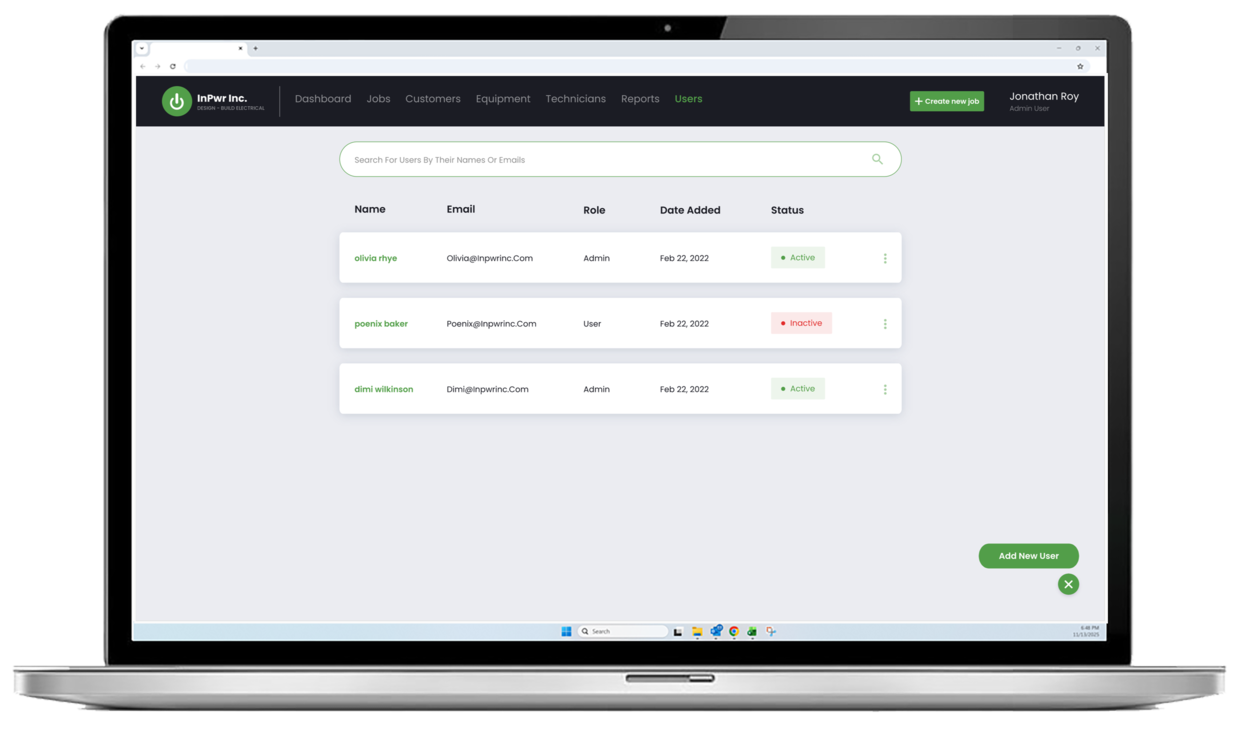
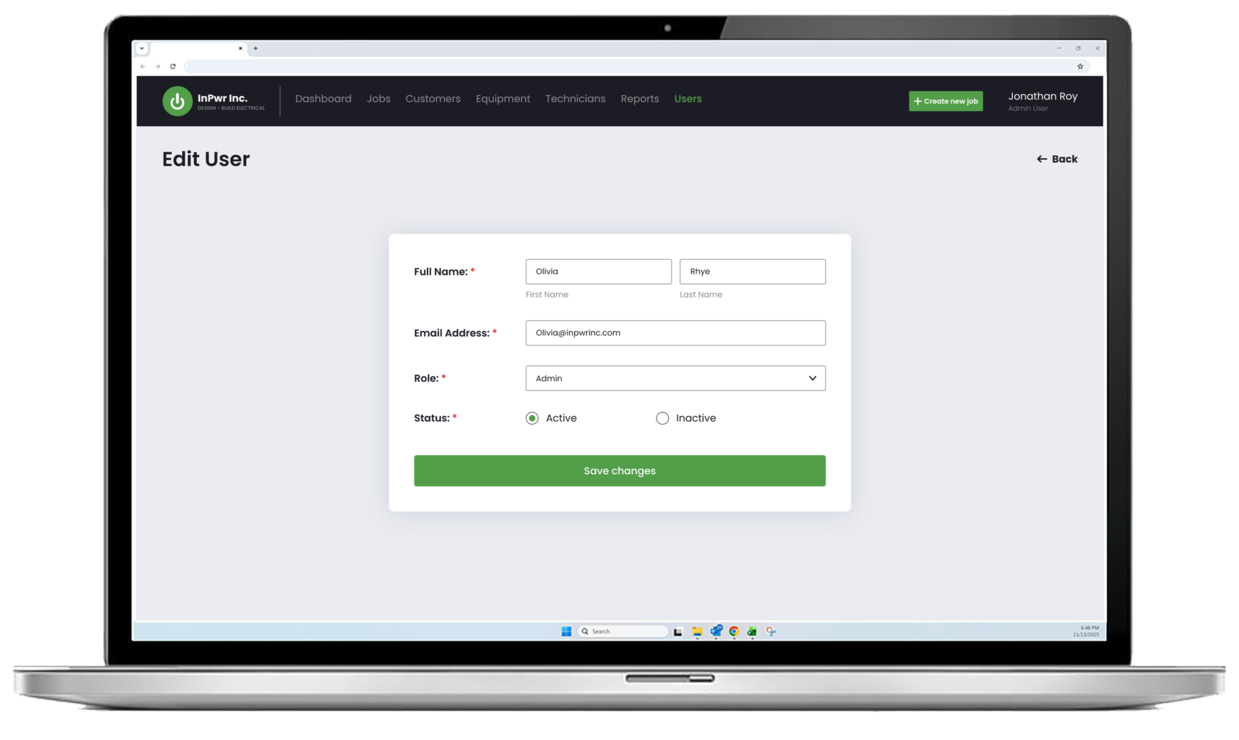
Role-Based Access
Controlled access helps keep responsibilities clear and operations secure for both office and field users.
Custom web apps for SMBs
Build a web app that streamlines work and supports growth. We help you define the right scope, design clear user flows, and choose an architecture that scales as your needs evolve. You start with a consultation and a high level range for budgeting, then Discovery confirms scope so you can proceed with a fixed price and a reliable timeline.
Delivery Approach
At-Cost Discovery Phase
We start with an at-cost Discovery Phase to remove ambiguity before development begins. This phase delivers wireframes and a detailed specification that defines workflows, business rules, validations, and edge cases so scope is clear and decisions are aligned early.
Fixed-Price Development
After the wireframes and specification are approved, we propose a fixed-price build with a defined timeline. Work is delivered in milestones with demos and testing checkpoints, keeping progress transparent and launch plans predictable.
This approach is ideal for small and mid-sized businesses because it reduces risk and prevents scope surprises.
Impact
With inPwr Ops Portal in place, the team reduced manual coordination and gained clearer operational control across emergency response work. Office staff can see job status and equipment availability in real time, keep customer and technician records consistent, and generate invoices and reports from structured data.
The result is faster response handling, fewer admin bottlenecks, and a more scalable foundation for day-to-day operations as the business grows.
Fixed price. Clear plan.
From Estimate to Certainty. After your free consultation, we provide a rough, non-binding estimate to help with budgeting. Once Discovery is complete, you get a fixed-price quote and a guaranteed timeline. No surprises, no scope creep, no unexpected costs.